


PNG to JEF and JPG to EXP: Complete Guide to Image Conversion for Embroidery
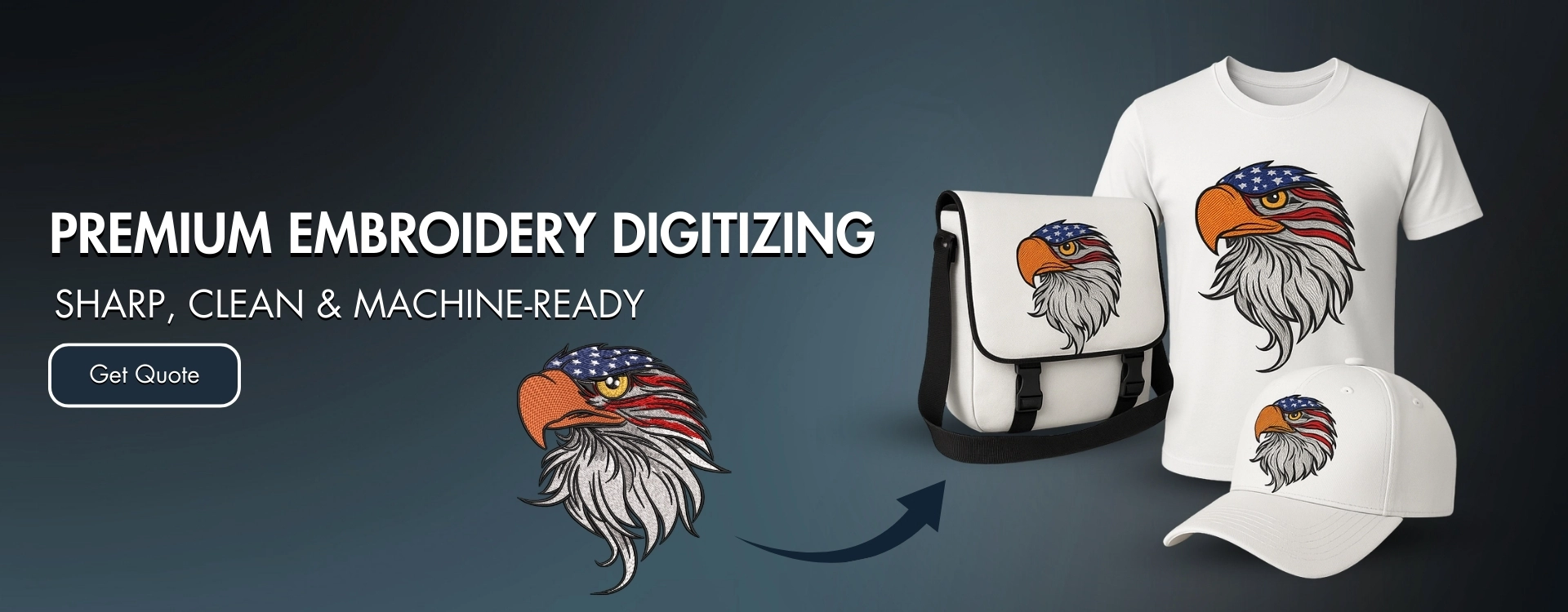
In the embroidery world, image files cannot be stitched directly onto fabric. Embroidery machines require special stitch-based formats to operate correctly. This is where conversions like PNG to JEF and JPG to EXP become essential. These conversions transform standard image files into embroidery-ready formats that machines can understand and execute with precision.
Whether you are an embroidery business owner, a designer, or someone ordering custom embroidered apparel, understanding PNG to JEF and JPG to EXP conversions is crucial for achieving clean, professional embroidery results.
Understanding Embroidery File Conversion
Image formats such as PNG and JPG are pixel-based. They are perfect for digital screens but useless to embroidery machines, which rely on stitch commands rather than pixels. Embroidery file formats like JEF and EXP contain detailed instructions that tell the machine:
-
Where the needle should move
-
Which stitch type to use
-
Stitch length and direction
-
When to change thread colors
Converting PNG to JEF or JPG to EXP is not a simple file change—it is a digitizing process that requires embroidery expertise.
What Is PNG to JEF Conversion?
PNG to JEF is the process of converting a PNG image into a JEF embroidery file. JEF is a format specifically used by Janome embroidery machines. Since PNG images often have transparent backgrounds and high-quality details, they are commonly used for logos and artwork.
During PNG to JEF conversion, the image is manually digitized to create stitch paths that replicate the design in embroidery form. The final JEF file ensures smooth stitching, accurate shapes, and proper thread flow on Janome machines.
Benefits of PNG to JEF Digitizing
Converting PNG to JEF offers several advantages:
1. Janome Machine Compatibility
JEF files are optimized for Janome embroidery machines, ensuring error-free operation.
2. Clean and Sharp Designs
Proper digitizing preserves logo details and ensures clean edges and smooth fills.
3. Optimized Stitch Count
Professional digitizing avoids excessive stitches, reducing thread usage and machine wear.
4. Fabric Adaptability
Designs are adjusted based on fabric type, whether cotton, polyester, fleece, or caps.
What Is JPG to EXP Conversion?
JPG to EXP refers to converting a JPG image into an EXP embroidery file format. EXP files are widely used by Melco, Bernina, and some commercial embroidery machines. JPG images are commonly used for logos, text, and promotional artwork, making JPG to EXP a popular conversion.
Because JPG images are raster-based and may contain compression artifacts, careful digitizing is required to ensure smooth embroidery output. A professional JPG to EXP conversion results in a clean, stitch-optimized design that closely matches the original artwork.
Advantages of JPG to EXP Digitizing
1. Machine Compatibility
EXP files are designed for Melco and Bernina machines, ensuring reliable stitching.
2. Professional Stitch Quality
Manual digitizing ensures smooth stitch flow and accurate design representation.
3. Reduced Production Issues
Well-digitized EXP files reduce thread breaks, trimming errors, and fabric puckering.
4. Versatile Application
JPG to EXP designs can be used on shirts, jackets, hats, bags, and promotional items.
The Digitizing Process for PNG to JEF and JPG to EXP
Both conversions follow a similar professional workflow to ensure quality.
Step 1: Image Review
The digitizer examines the image’s quality, colors, size, and complexity. Any issues that may affect embroidery are identified early.
Step 2: Stitch Planning
Decisions are made regarding stitch types (satin, fill, running), stitch angles, and underlay to support the design.
Step 3: Manual Digitizing
Using professional embroidery software, stitches are manually placed rather than auto-generated.
Step 4: File Formatting
The design is saved as JEF or EXP based on the customer’s embroidery machine.
Step 5: Quality Control
The file is reviewed for stitch accuracy, density balance, and smooth sequencing.
Why Professional Digitizing Is Important
Automatic file conversion tools often fail to produce embroidery-ready designs. Without professional digitizing, PNG to JEF and JPG to EXP conversions can result in:
-
Distorted shapes
-
Uneven stitch density
-
Thread breaks
-
Fabric puckering
-
Poor edge definition
Professional digitizing ensures that the design stitches cleanly and looks polished.
PNG to JEF vs JPG to EXP: Key Differences
| Feature | PNG to JEF | JPG to EXP |
|---|---|---|
| Image Source | PNG files | JPG files |
| Embroidery Format | JEF | EXP |
| Machine Type | Janome | Melco, Bernina |
| Transparency Support | Yes (PNG) | No (JPG) |
| Usage | Home & commercial | Commercial & industrial |
Both conversions are essential depending on machine type and design requirements.
Who Needs PNG to JEF and JPG to EXP Services?
These conversions are ideal for:
-
Embroidery businesses
-
Apparel brands
-
Promotional product companies
-
Corporate uniform suppliers
-
Sports teams
-
Individuals ordering custom embroidery
Anyone using Janome, Melco, or Bernina machines benefits from accurate file conversion.
Choosing the Right Digitizing Service
When selecting a service for PNG to JEF or JPG to EXP conversion, consider:
-
Experience in embroidery digitizing
-
Support for multiple file formats
-
Fast turnaround time
-
Revision policy
-
Knowledge of fabric behavior and machines
A reliable service focuses on stitch quality, not just file delivery speed.

 English
 Arabic
 French
 Spanish
 Portuguese
 Deutsch
 Turkish
 Dutch
Dutch
 Italiano
 Russian
 Portuguese (Brazil)
 Greek
Greek