English
 Arabic
 French
 Spanish
 Portuguese
 Deutsch
 Turkish
 Dutch
Dutch
 Italiano
 Russian
 Romaian
 Portuguese (Brazil)
 Greek
Greek

u4gm How to Master Attack Helicopters in Battlefield 6 Guide
Games |
2025-12-04 02:44:55
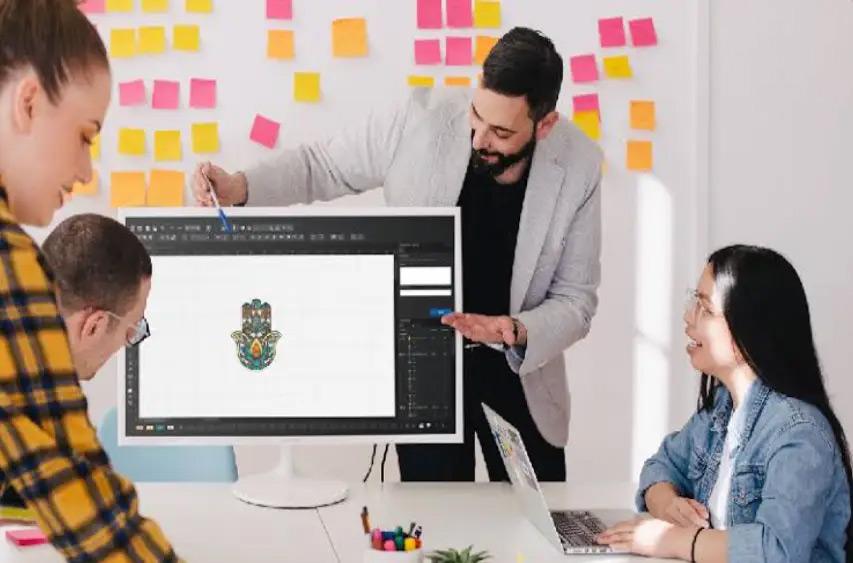
Your logo is the face of your brand. Every curve, every color, every line has been carefully crafted. Now, you want to translate that identity from the screen onto fabric—embroidered on uniforms, hats, or bags with your Husqvarna Viking machine. The fear is real: what if the stitching comes out blurry, distorted, or loses the very details that make your logo recognizable? This is the precise challenge of high-fidelity embroidery digitizing. To successfully Convert Logo to Husqvarna Viking File without losing detail, you must move beyond simple conversion and embrace a process of intelligent translation. It’s about preserving the soul of your design while adapting it to the unique language of thread.
This process requires more than just software; it requires strategy. A Husqvarna Viking machine needs a .HUS or .VIP file, which is a set of machine commands, not a picture. The journey from your logo—whether it's a crisp vector or a detailed JPG—to a flawless stitch file is about making smart compromises and technical decisions that prioritize clarity and durability. This guide will walk you through the key principles and steps to ensure your logo's detail is not just captured, but enhanced, in its embroidered form.
First, understand the common culprits that ruin logo detail in embroidery:
The Density Trap: To capture detail, novice digitizers often increase stitch density. This creates a stiff, cardboard-like patch that can pucker fabric and actually obscure fine lines by over-saturating the area with thread.
Ignoring Stitch Type: Using a fill stitch where a satin stitch is needed, or vice versa, blurs edges and muddies shapes.
Poor Underlay Strategy: Without the proper foundational stitches, top details shift, sink into the fabric, or lose their crispness.
Incorrect Size Translation: Digitizing a logo at one size and then dramatically enlarging it on the machine stretches stitch data, making details sparse and poorly defined.
Color Confusion: Using too many thread colors in a small space can create visual noise instead of clean detail.
The goal is to engineer a file that avoids these pitfalls from the start.
Your outcome is directly tied to your input. You cannot create a detailed stitch file from a low-resolution source.
Demand a Vector File: This is non-negotiable for logos. Ask your designer for the native .AI (Adobe Illustrator), .EPS, or .SVG file. Vector graphics are made of mathematically defined points and paths, not pixels. They are infinitely scalable and give digitizing software clean, precise lines to follow. This is the single biggest factor in preserving detail.
If You Only Have a Raster (JPG/PNG): It must be high-resolution, on a plain background, and have sharp contrasts. A small, blurry logo pulled from a website header cannot be magically detailed in embroidery. You may need to have it re-vectorized first.
Converting your logo into a Husqvarna Viking file (.HUS/.VIP) with intact detail is a multi-stage process. Here’s what a professional does:
Before any software is opened, the logo is analyzed.
Identify Critical Detail: What is the most important element? The core icon? The specific font? These elements are prioritized in the stitch plan.
Strategic Simplification: This doesn't mean dumbing it down; it means adapting it for thread. A gradient may become 2-3 solid colors. An extremely thin line (less than 1mm) may need to be slightly thickened to be stitched as a satin column or converted to a run stitch. The goal is to maintain the visual effect of the detail, not necessarily its exact digital construction.
Each part of your logo gets a stitch type engineered for its role.
Text and Outlines: These become Satin Stitches (column stitches). The width is set to match the original line weight as closely as possible while remaining sewable (typically no narrower than 1.2mm).
Solid Fill Areas: These become Fill Stitches. The key here is to use a medium density (e.g., 0.45mm spacing) and a smart angle that complements the shape. This provides solid coverage without bulk.
Extremely Fine Details: Tiny elements may be best as Running Stitches (a single line of stitching) to avoid overwhelming the design with thickness.
This is the secret weapon for crisp detail. Underlay is the foundation sewn before the top stitching.
For Satin Stitches (Outlines/Text): A Center Walk underlay is used. This lays a thread down the middle of the satin column, stabilizing the fabric and giving the top stitches a "railroad track" to follow, ensuring razor-sharp edges.
For Fill Stitches (Solid Areas): A Contour or Zigzag underlay is applied around the edges and through the middle. This anchors the perimeter and prevents the fill from pulling inward and distorting adjacent details.
Thread colors are chosen strategically.
Reduce Palette Thoughtfully: Convert subtle digital color variations into distinct, high-contrast thread colors that will read clearly from a distance.
Layer Dark on Light: The stitch sequence is ordered so lighter colors are sewn first, then darker colors on top. This prevents dark underthreads from shadowing through light-colored top stitches, which can muddy detail.
A professional never sends a file without testing.
Stitch-Out Proof: The .HUS file is stitched on a scrap of the target fabric (e.g., the same twill for a hat, the same polo shirt material).
Detail Inspection: The physical sample is checked. Are the lines crisp? Do small letters remain readable? Do colors pop?
File Adjustment: Based on the test, minor adjustments are made to the digital file—a slight density tweak, a 0.1mm increase in satin width—to perfect the detail before final delivery.
You have two main paths:
Path 1: Professional Digitizing Service (Recommended for Brand Logos)
This is the most reliable method to preserve detail.
You Provide: Your high-resolution vector logo and specify the garment and size.
They Provide: A meticulously digitized .HUS/.VIP file, often with a proof image or report. You pay for expertise and a guaranteed, detail-perfect result.
Why it Works: You leverage a specialist whose entire process is built around the principles above.
Path 2: Use Professional Software (For Control & Learning)
If you digitize frequently, invest in software like Hatch Embroidery or Wilcom. These programs allow you to manually execute the steps above. The learning curve is steep, but the control is total.
Path to Avoid: Instant Online Converters
Websites that promise "JPG to HUS in 5 minutes" are a guaranteed way to lose detail. They create dense, monolithic fills with no underlay or intelligent stitch assignment. Your detailed logo will become a stiff, blurry blob.
To ensure the best results when you convert your logo:
Have the Vector File Ready.
Know Your Garment: "Heavy cotton cap," "performance polyester polo," "canvas tote."
Specify the Exact Stitch Size: Provide width in inches or centimeters.
Point Out Critical Details: "The serifs on this font are important," "keep the gap between these two elements clear."
Provide Brand Colors: List Pantone or thread brand color numbers if available.
To Convert Logo to Husqvarna Viking File without losing detail is to choose a path of precision over convenience. It acknowledges that embroidery is its own medium with rules that, when respected, can produce stunningly detailed and durable results. The detail isn't lost; it's translated by making conscious decisions about stitch type, density, underlay, and color.
Your logo deserves this careful approach. By starting with a vector file and partnering with a digitizer who understands the engineering behind the art—or by developing that expertise yourself—you ensure your brand makes a sharp, professional, and memorable impression in every stitch. Don't just convert your logo; elevate it into a perfectly detailed embroidered reality.